Published
- 2 min read
FRP Server-Client Setup
Step 1: Set Up FRP Server (frps) on VPS
This will act as the public-facing relay.
1. Download FRP
wget https://github.com/fatedier/frp/releases/download/v0.61.2/frp_0.61.2_linux_amd64.tar.gztar -xvzf frp_0.61.2_linux_amd64.tar.gzcd frp_0.61.2_linux_amd642. Configure frps
Edit the frps.ini file:
nano frps.iniAdd the following configuration [Make sure to disable firewall]:
       [common]
bind_port = 7000
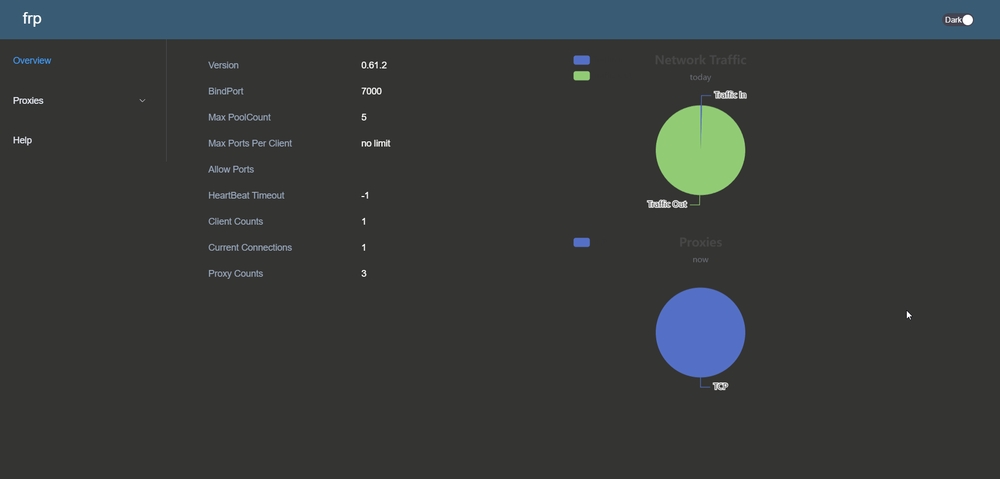
dashboard_enable = true
dashboard_port = 7500
dashboard_user = user
dashboard_pwd = password

# (Optional) TLS for encryption
# tls_only = true

# (Optional) Authentication for security
token = your-secret-token
You can disable dash by changing following line to
dashboard_enable = false3. Start FRP Server
Run:
./frps -c frps.iniTo run in the background [or use tmux]:
nohup ./frps -c frps.ini > frps.log 2>&1 &Step 2: Set Up FRP Client (frpc) on Local Machine
1. Download FRP
wget https://github.com/fatedier/frp/releases/download/v0.61.2/frp_0.61.2_linux_amd64.tar.gztar -xvzf frp_0.61.2_linux_amd64.tar.gzcd frp_0.61.2_linux_amd642. Configure frpc
Edit the frpc.ini file:
nano frpc.iniExample for exposing a local web server (e.g., minecraft server running on port 25565):
       [common]
server_addr = your-vps-ip
server_port = 7000
token = your-secret-token

[port_forward]
type = tcp
local_ip = 127.0.0.1
local_port = 25565
remote_port = 25565
3. Start FRP Client
Run:
./frpc -c frpc.iniTo run in the background [or use tmux]:
nohup ./frpc -c frpc.ini > frpc.log 2>&1 &4. Add More FRP Client
Edit the frpc.ini file:
nano frpc.iniExample for exposing two local web server (e.g., minecraft server running on port 25565 and port forwarding ssh running on port 22):
       [common]
server_addr = your-vps-ip
server_port = 7000
token = your-secret-token

[minecraft]
type = tcp
local_ip = 127.0.0.1
local_port = 25565
remote_port = 25565

[ssh]
type = tcp
local_ip = 127.0.0.1
local_port = 22
remote_port = 1234
make sure to use different names.
Run[After Closing Previous Session]:
./frpc -c frpc.iniOr, When Using nohup :-
pkill -f frpcThen Run
nohup ./frpc -c frpc.ini > frpc.log 2>&1 &Done!
Now your local service should be accessible via the public VPS. 🚀